
Sale!
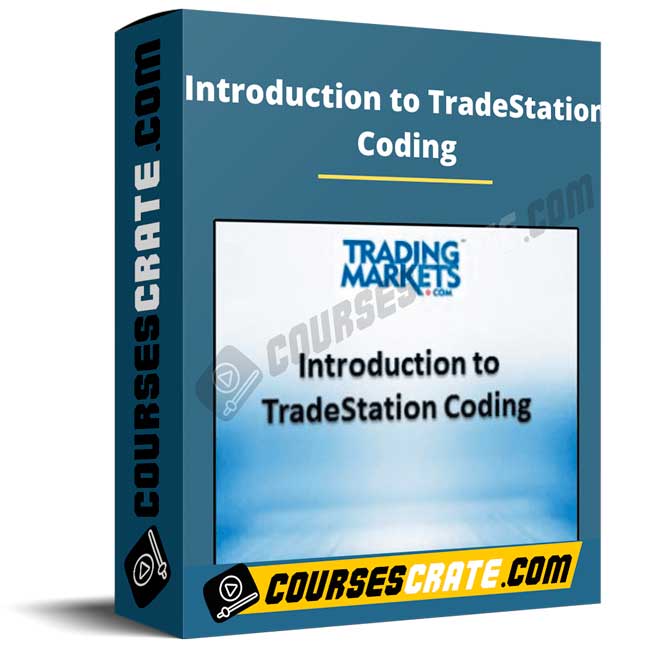
Introduction to TradeStation Coding
Original price was: $1,000.00.$62.00Current price is: $62.00.
Introduction to TradeStation Coding teaches EasyLanguage basics to build indicators and strategies, run backtests, use RadarScreen/Scanner for set-ups, and learn a structured path to responsible automation.
courses fast [ coursesfast.com ], giga courses [ gigacourses.com ], udcourse [ udcourse.com ], beast courses [ beastcourses.com ],
imarketing courses [ imarketing.courses ], digital assistant academy [ digitalassistant.academy ]
Permanent Access Links
Instant Access to HD Quality Courses
24/7 Expert Support
100% Safe & Secure Checkout
Courses Are Updated Regularly
Introduction to TradeStation Coding is a practical starter course designed to help you program, backtest, and automate trading ideas inside the TradeStation platform using EasyLanguage. In plain terms, it teaches you how to turn a trading concept into code, test it on historical data, and then run it in a structured, rules-based way.
If you have ever wondered whether an indicator truly works, or you want to stop relying on someone else for trade alerts, this course is built to make you more self-sufficient. The focus is not on “secret signals.” It is on building a repeatable workflow: write the logic, validate the results, and manage execution responsibly.
This is educational content, not financial advice. Trading involves risk, and automation does not remove uncertainty. The purpose is to improve your process and technical capability so your decisions become clearer and more consistent.
What is the Introduction to TradeStation Coding course about?
Introduction to TradeStation Coding focuses on the foundations of working inside TradeStation as a programming and backtesting environment. The course introduces the TradeStation Developer Environment and EasyLanguage, then moves into creating and running your first indicator and simple strategies.
It is built for people with little or no familiarity with EasyLanguage who still want to learn how to create backtests, generate signals, and understand what is happening “under the hood.” Along the way, you also learn how to use TradeStation tools like charts, strategies, RadarScreen, and the Scanner to organize your analysis and find opportunities.
What will you learn?
- How to work with the TradeStation environment for charting, indicators, and strategies.
- How EasyLanguage fits into building indicators and automated strategies.
- How to create, modify, backtest, optimize, and execute simple TradeStation strategies.
- How to program a custom indicator and attach it to a TradeStation chart.
- How to use core coding building blocks such as inputs, variables, arrays, plots, and alerts.
- How to code basic order logic (entries and exits) and understand common order types.
- How to troubleshoot and debug early mistakes so your tests are meaningful.
- How to use RadarScreen and the TradeStation Scanner to find and monitor set-ups.
- How to think about optimization concepts and avoid common backtesting traps.
- How to build a repeatable “idea to execution” workflow you can reuse for future strategies.
Who is it for?
Introduction to TradeStation Coding is a strong fit for traders who use (or plan to use) TradeStation and want to develop practical coding skill without getting lost in theory.
- New EasyLanguage learners who want a guided start with real examples.
- System and strategy traders who want to backtest ideas properly before risking capital.
- Discretionary traders who want to scan for signals and standardize execution rules.
- Traders who want to build custom indicators instead of relying only on built-in studies.
If you want guaranteed returns or a shortcut around risk, this course is not positioned that way. It is about building capability: coding, testing, and disciplined automation.
How does it work?
Introduction to TradeStation Coding is structured as approximately six hours of online instruction, designed to take you from minimal knowledge to building working indicators and strategies. The course format emphasizes coding along with the instruction, exercises, and practical troubleshooting so you can apply what you learn immediately.
The course also includes code templates you can modify, plus supporting documentation that helps you understand commonly used TradeStation functions. This matters because most beginners struggle not with one “hard concept,” but with the gap between an idea and a functioning script. Templates and examples shorten that gap.
You will also learn how to apply TradeStation features beyond just writing code: how to use RadarScreen for monitoring many symbols, and how to use the Scanner to identify potential set-ups for the upcoming trading day.
Benefits
- More control over your trading process by turning ideas into testable rules.
- Better confidence in your signals by validating them with structured backtests.
- Time savings through scanning and automation, when used responsibly.
- Clearer decision-making because your strategy rules are explicit, not vague.
- A foundation you can build on for more advanced EasyLanguage and platform tools.
Prerequisites
A installed copy of TradeStation (the course materials reference TradeStation 9.1 or later) plus a willingness to learn basic programming concepts step by step. You do not need an advanced coding background, but you will benefit most if you practice by writing and modifying code as you go.
If you plan to use automation, use a simulator first, track results carefully, and apply strict risk management. Automated execution can be delayed or fail due to market or system conditions.
About the author
The course is described as being taught by Stuart Okorofsky, a TradeStation programmer and instructor featured in the course materials. The course also emphasizes that it is not sponsored, affiliated, or endorsed by TradeStation Group, Inc.
This matters for expectations: the course is centered on teaching platform skill (EasyLanguage, backtesting, scanning, and automation workflows) rather than promoting a specific broker or promising performance outcomes.
Why buy from our online course platform?
Centralize your digital purchases in a single account, keep your history, and access them whenever you want to watch online or download. Plus, you’ll always find courses on our platform at affordable prices.
Course content
- General overview of TradeStation: charting, indicators, strategies, RadarScreen, Scanner, preferences, and help.
- EasyLanguage foundations: developer environment, templates, comments, inputs, variables, arrays, plot statements, alerts, and basic workflow.
- Building a custom indicator: coding and adding a custom indicator to charts (example-based learning).
- Building and backtesting a strategy: entry/exit logic, order types, profit targets, stop loss, debugging, and key platform concepts such as MaxBarsBack.
- Finding set-ups: practical use of RadarScreen and the Scanner to identify and monitor opportunities.
- Optimization basics: standard vs walk-forward, exhaustive vs genetic, and common pitfalls.
- Auto execution basics: how to run strategies in simulated mode first, then understand the pathway to live automation when appropriate.
Access the course now if you want a clear, beginner-friendly path to coding, backtesting, and automating ideas inside TradeStation with EasyLanguage.
Downloadable Course Content
Be the first to review “Introduction to TradeStation Coding”
You must be logged in to post a review.
Related products
Sale!

Forex & Trading
Original price was: $447.00.$9.00Current price is: $9.00.
Sale!
Forex & Trading
Original price was: $119.00.$16.00Current price is: $16.00.
Sale!
Forex & Trading
Original price was: $795.00.$86.00Current price is: $86.00.
Sale!
Forex & Trading
Original price was: $1,249.00.$123.00Current price is: $123.00.
Sale!
Forex & Trading
Original price was: $1,900.00.$17.00Current price is: $17.00.
Sale!
Forex & Trading
Original price was: $119.00.$12.00Current price is: $12.00.
Sale!
Forex & Trading
Original price was: $1,497.00.$44.00Current price is: $44.00.
Sale!

Forex & Trading
Original price was: $2,997.00.$32.00Current price is: $32.00.
Reviews
There are no reviews yet.