
Sale!
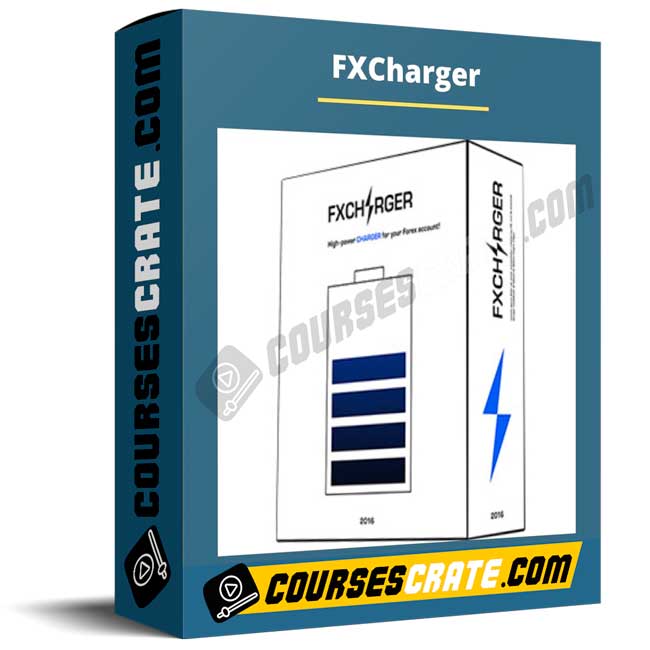
FXCharger
Original price was: $219.00.$30.00Current price is: $30.00.
FXCharger is an automated Forex EA for MT4/MT5 designed to trade daily with configurable risk, dynamic take-profit logic, and protective stop controls—ideal for traders who want a rules-based, hands-off workflow.
courses fast [ coursesfast.com ], giga courses [ gigacourses.com ], udcourse [ udcourse.com ], beast courses [ beastcourses.com ],
imarketing courses [ imarketing.courses ], digital assistant academy [ digitalassistant.academy ]
Permanent Access Links
Instant Access to HD Quality Courses
24/7 Expert Support
100% Safe & Secure Checkout
Courses Are Updated Regularly
FXCharger is an automated Forex EA for MetaTrader that is designed to open trades daily and manage positions with a rules-based approach.
Instead of relying on manual signals, you focus on setup: choosing the correct edition, the supported currency pairs, and risk settings that match your account size and tolerance.
If you want a more systematic, hands-off workflow, this program is positioned for traders who prefer defined parameters, protective controls, and a repeatable routine over constant screen time.
What is the FXCharger program about?
FXCharger is marketed as a fully automated Expert Advisor (EA) that runs on MetaTrader 4 and MetaTrader 5. The vendor describes it as easy to install and designed to manage trades with its own take-profit and stop-loss logic, so you do not need to manually adjust orders throughout the week.
A central concept in the product description is that each order can use a dynamically calculated take-profit level that adjusts to market conditions. The same materials describe protective stop behavior tied to risk settings, with a stated focus on limiting losses relative to the parameters you define.
Because FXCharger is an EA and not a discretionary course, the practical value comes from understanding the setup decisions: which currency pairs are supported by your edition, which timeframe the vendor recommends for that edition, and how risk parameters change trade frequency, exposure, and drawdown profile.
What will you learn?
- How to set up FXCharger on MetaTrader and prepare a chart so the EA can operate correctly.
- How to choose between editions and align supported currency pairs with your account and broker conditions.
- How to configure risk in a disciplined way using settings such as Max Risk, auto lot sizing, and order limits.
- How to interpret the EA’s core trade behavior, including daily trade scheduling and typical holding logic.
- How to use practical controls such as slippage, magic numbers, and GMT settings to reduce execution mismatch.
- How to review strategy behavior using performance tracking, forward testing, and conservative scaling habits.
Who is it for?
FXCharger is for traders who want algorithmic execution without building code from scratch. It can fit beginners who want structure, as long as they understand that automation does not remove risk and that settings matter as much as the strategy logic.
It is also relevant for intermediate traders who already understand position sizing and want to reduce emotional decisions by delegating execution to a consistent ruleset.
It is not a good fit for anyone looking for guaranteed results, or for traders who are unwilling to test, monitor, and control risk. An EA is a tool, and it still requires responsible configuration and ongoing oversight.
How does it work?
FXCharger runs inside MetaTrader (MT4/MT5) and executes trades automatically. The vendor describes the EA as opening trades daily and calculating a unique take-profit for each order based on current market conditions. The same product information describes stop protection intended to limit losses relative to the risk settings you choose.
The current product pages describe two editions: FXCharger Basic (listed as operating on USDCAD) and FXCharger Max (listed as supporting USDCAD, EURUSD, EURGBP, AUDUSD, and USDJPY). Performance reporting is presented through linked third-party tracking pages, and the vendor also offers product support through their support channels.
Some installation documentation for other editions references naming such as “Standard” and “Advanced,” with chart attachment steps and an H1 timeframe recommendation. That same documentation includes parameters for lot sizing, risk percentage, slippage, magic number, GMT handling, and daily start time fields. Since naming and pair support can vary across editions and years, the safest approach is to confirm the exact version included in your purchase and follow that version’s setup guide.
In advanced settings documentation, parameters can include a mode flag, multipliers for subsequent orders, optional hedging behavior, maximum concurrent orders, and moving-average signal settings. These controls can materially change exposure, so treat configuration as part of your strategy, not a minor detail.
Benefits
- More consistent execution: rules-based automation can reduce impulsive entries and exits.
- Clearer risk handling: configurable risk and position sizing settings help you define downside before trades run.
- Less screen time: daily automation can support traders who cannot monitor charts all session.
- Structured configuration: time-based trade scheduling and parameter controls can make performance review more measurable.
- Flexible exposure options: multi-pair support in higher editions can diversify activity, if risk is kept conservative.
These benefits depend on responsible setup, testing, and realistic expectations. Automated systems are sensitive to spreads, execution quality, broker rules, and market regime changes.
Prerequisites
- A working MetaTrader 4 or MetaTrader 5 installation and a broker account that allows Expert Advisors.
- Ability to install EA files and enable required platform permissions (such as live trading and, when required, DLL imports).
- Basic understanding of position sizing, drawdowns, and how risk percentage settings affect exposure.
- A stable computer or VPS environment is recommended for automated trading, so the platform stays connected and consistent.
About the academic institution
FXCharger is distributed through the FXCharger product site and presented as a commercial automated trading tool. The vendor materials reference public performance tracking links and list customer support contact options.
This is not a certification program and it does not provide a credential. It is a configurable EA workflow: your outcomes depend on broker conditions, your settings, and your risk discipline.
Why buy from our online course platform?
Centralize your digital purchases in a single account, keep your history, and access them whenever you want to watch online or download. Plus, you’ll always find courses on our platform at affordable prices.
When your tools and learning are organized in one place, it is easier to re-check setup steps, revisit key settings, and maintain consistency. That matters with automated systems, where small configuration changes can produce large differences in behavior.
Course content
- Platform compatibility: MetaTrader 4 and MetaTrader 5 support.
- Editions and pair support (current listing): Basic on USDCAD; Max on USDCAD, EURUSD, EURGBP, AUDUSD, and USDJPY.
- Core operating logic: daily automated trading behavior with dynamically calculated take-profit per order.
- Protection and risk controls: stop protection described by the vendor, plus configurable risk and position sizing options.
- Installation workflow (edition-dependent): MetaTrader file placement, chart attachment, and permissions enabling.
- Key parameters (edition-dependent): auto lot sizing, risk percentage, slippage, magic number, GMT handling, trade timing, max orders, and moving-average configuration fields.
Access the course now if you want a rules-based Forex EA workflow you can configure, test, and run with disciplined risk control.
Downloadable Course Content
Be the first to review “FXCharger”
You must be logged in to post a review.
Related products
Sale!

Forex & Trading
Original price was: $447.00.$9.00Current price is: $9.00.
Sale!
Forex & Trading
Original price was: $119.00.$16.00Current price is: $16.00.
Sale!

Forex & Trading
Original price was: $197.00.$9.00Current price is: $9.00.
Sale!

Forex & Trading
Original price was: $997.00.$11.00Current price is: $11.00.
Sale!

Forex & Trading
Original price was: $299.00.$15.00Current price is: $15.00.
Sale!
Forex & Trading
Original price was: $199.00.$21.00Current price is: $21.00.
Sale!

Forex & Trading
Original price was: $1,497.00.$16.00Current price is: $16.00.
Sale!

Forex & Trading
Original price was: $997.00.$43.00Current price is: $43.00.
Reviews
There are no reviews yet.